
Obtain a Grimoire
If you want to follow the path of magic, enter /kit once in the in-game chat. Each character can receive their Grimoire exactly once.
The player guide
What runs on the server, why it is there and how to use it in game – explained clearly in one place.
Grimoire: The Magus Arsenal
The Grimoire is not a freely available base-game book. The system is distributed and controlled by the server. Spells can be unlocked through books, pages, feats, quests and events, making magic a real progression path.
If you want to follow the path of magic, enter /kit once in the in-game chat. Each character can receive their Grimoire exactly once.
Use the books and spell pages you receive. Server configuration determines which schools are available.
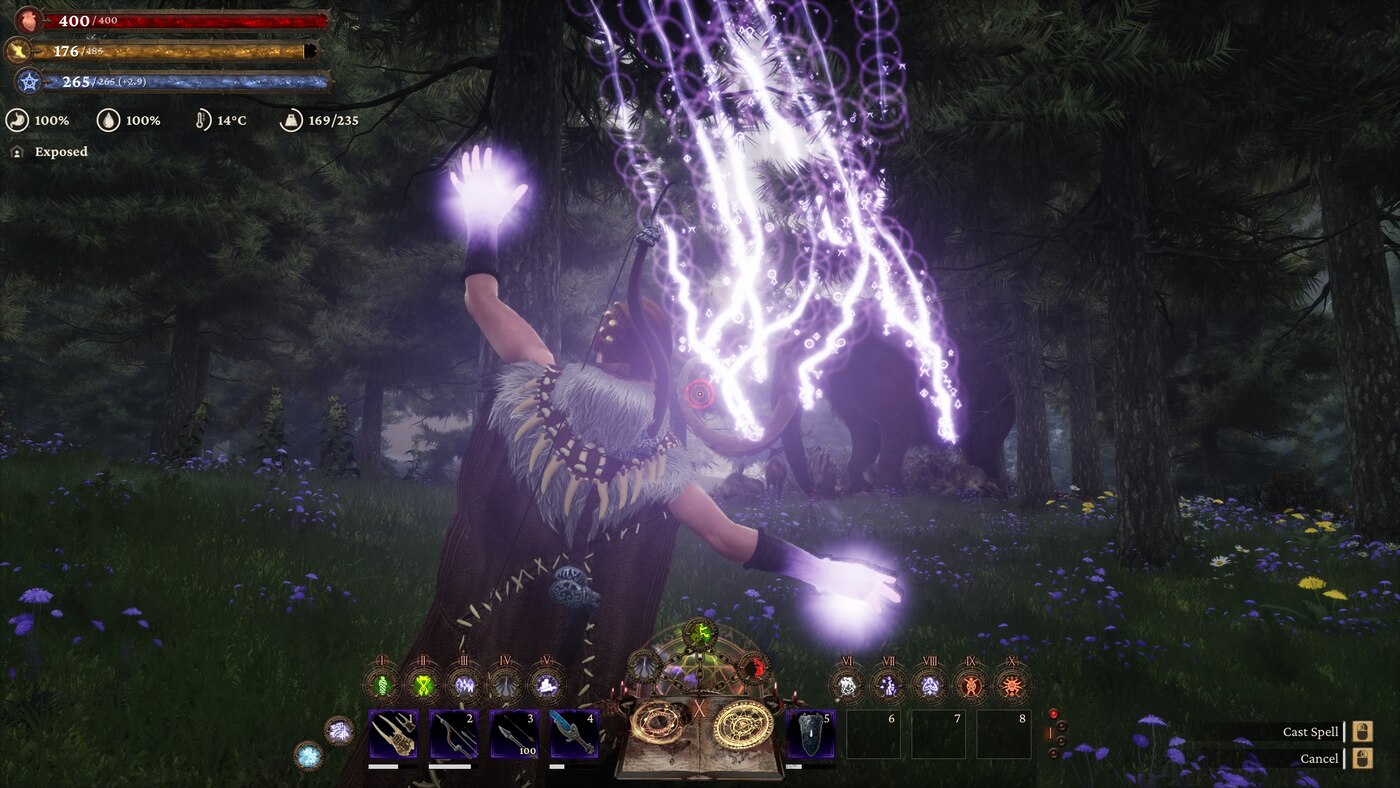
Switch the extended spell hotbar with Shift+Q and Shift+E or via the indicator while inventory is open.
Grimoire keys can be configured in the Escape menu. Practise new spells in a safe area first.
Active Steam collection
The order and selection match the official Sorcery Lands collection.
Monumental buildings, fortifications, towers, gates, bridges and decorations for medieval cities and ruins.
Unlock pieces through the building menu and place them like normal building pieces. Content may change while development continues.
Open Workshop page62 admin-controlled role-play resources such as documents, relics, profession tokens and faction notes.
Items are distributed through Pippi kits, merchants, quests or events; they do not create quests or combat on their own.
Open Workshop pageAdvanced follower management with home points, favourites, recall, transfer, pickup and appearance editing.
Use the follower interaction wheel. Hold R for the follower manager and recall favourites or send them home together.
Open Workshop pageLong-term progression up to level 300 with extra points and Paragon bonuses from level 70.
Check progress under Stats → Paragon. Existing characters should reset attributes and knowledge after installation.
Open Workshop pageBooks, spell pages and feats for controlled magic unlocks. This add-on does not add spells by itself.
Find or receive books and pages through quests, events or staff and use them to unlock magic step by step.
Open Workshop pageA large configurable magic system with many schools, spells and an extended hotbar.
Obtain a Grimoire, learn spells through server progression and switch the extended hotbar with Shift+Q / Shift+E.
Open Workshop pageCentral settings interface for supported mods.
Open with Shift+End or use the command DataCmd ModControlPanel.
Open Workshop pageFreer building with fewer collision and placement restrictions plus extra server options.
Build normally; open optional settings through ModControlPanel with Shift+End. Direction arrows help with alignment.
Open Workshop pageConfigurable larger stacks for base-game, DLC and mod items.
Players stack items normally. Changed server values apply when a stack is moved.
Open Workshop pageAutomated resource work with 12 workbenches, four professions and three upgrade tiers.
Assign matching workers as miners, lumberjacks, farmers or ranchers, equip tools and place camps near suitable resources.
Open Workshop pageServer framework for chat, kits, commands, warps, merchants, NPCs, portals, quests and events.
Players use the chats, merchants, NPCs, portals and quests provided by the server. Administration remains with staff.
Open Workshop pageSecurely connects Conan characters to the Sorcery Nexus, synchronises approved progress and delivers one-time rewards.
Create a link code on the Nexus website and enter it through the in-game Nexus function. Approved quests and rewards can then be delivered to the linked character.
Open Workshop pageSubscribe to the full collection, wait for Steam to finish downloading, and begin your adventure.
Open Steam collection